A television with a cracked screen, a laptop that will not power on, or a missing power cable can turn move-in day into a costly problem. Packing fragile electronics safely means protecting more than the item’s exterior. It also means preventing pressure, moisture, static, loose parts, and rough handling from damaging the sensitive components inside.
The best approach is organized and deliberate. Start before packing day, use materials that match each item, and label boxes so they receive the care they need from the moment they leave your home or office until they are unpacked.
Prepare Electronics Before You Pack
Before wrapping anything, back up the information you cannot afford to lose. Save files from computers and external drives, back up phones and tablets, and confirm that cloud backups are current. A careful move reduces the chance of damage, but a backup protects you if an item is lost, stolen, or fails unexpectedly.
Next, power down every device fully. Do not pack laptops, cameras, game consoles, or other electronics while they are on or in sleep mode. Let devices cool completely before wrapping them, especially computers, printers, televisions, and audio equipment that have recently been running.
Take a few photos of cable connections before unplugging complex setups. This is particularly helpful for home entertainment systems, desktop computers, routers, office workstations, and printers. Place cords, remotes, chargers, adapters, mounting screws, and small accessories in labeled bags. Label the bag with the device name, then secure it inside the same box whenever practical. A television is much easier to set up when its remote and power cord arrive with it.
Remove batteries when the manufacturer recommends it, especially from remotes, cameras, flash units, and battery-operated accessories. For lithium-ion batteries and power banks, follow your moving company’s and carrier’s policies. These items may require special handling and should never be packed loosely where metal objects could contact their terminals.
Use the Right Packing Materials
Original boxes with fitted foam inserts are usually the safest choice for televisions, monitors, desktop computers, gaming systems, and other high-value equipment. The box was designed for that specific item, including its weak points and shape. If you still have it, use it.
If the original packaging is gone, choose a new, sturdy moving box that gives the item room for cushioning on every side. A box that is too large allows electronics to shift. One that is too small can put pressure directly on the device. For flat-screen TVs and monitors, a purpose-built TV box is worth considering because it provides reinforced protection and space for corner guards.
Avoid relying on newspaper as the only protective layer. It can leave ink marks, offers limited shock absorption, and does not prevent movement inside the box. Use clean packing paper, bubble wrap, foam sheets, moving blankets, and sturdy cardboard instead. Anti-static bubble wrap is a smart option for sensitive computer components and electronics with exposed circuit boards.
You will generally need the following materials for a well-protected pack:
- Sturdy boxes in appropriate sizes, including specialty TV or mirror boxes when needed
- Bubble wrap or foam sheets for impact protection
- Packing paper for filling open space and separating accessories
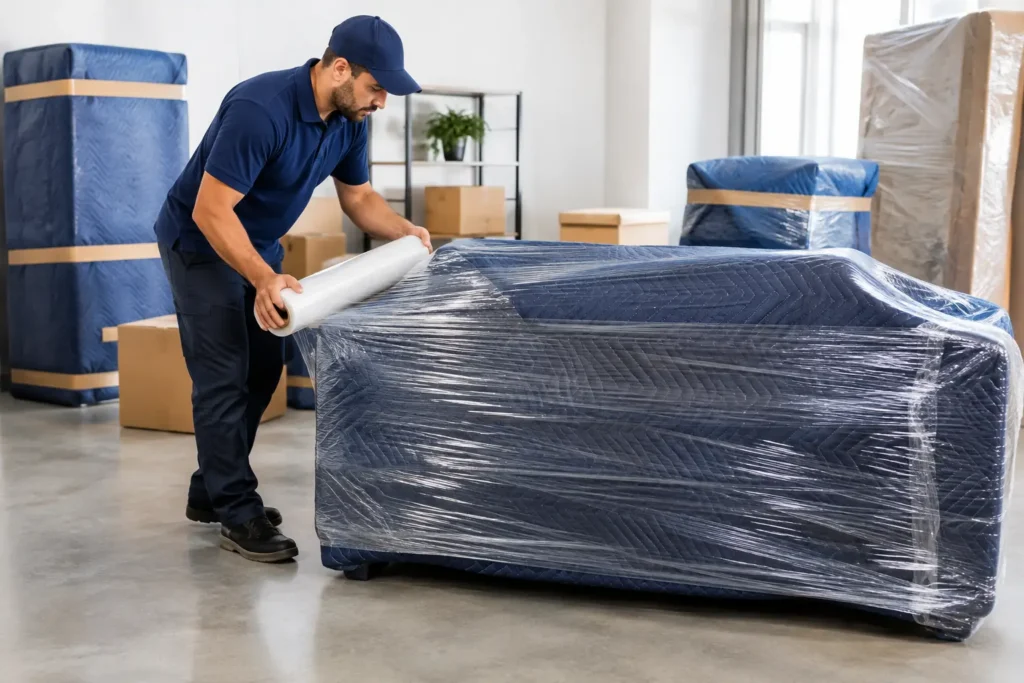
- Moving blankets or padded covers for larger equipment
- Strong packing tape, permanent markers, and labels
How to Pack Screens, Computers, and Small Devices
TVs and Monitors
Screens are vulnerable to direct pressure, corner impacts, and bending. Clean the screen lightly with a dry microfiber cloth, then cover it with a foam sheet or clean cloth. Place a flat piece of cardboard over the screen for an added layer of protection, but do not tape anything directly to the display.
Wrap the unit in bubble wrap or a moving blanket, paying extra attention to the corners. If possible, remove the stand and pack it separately with its screws in a labeled bag. Keep the television upright in its box. Never lay a packed flat-screen TV face-down, and avoid stacking other boxes against its screen.
Desktop Computers and Laptops
For desktop towers, remove loose accessories and secure any cables. If the computer contains a large graphics card, heavy cooling system, or other delicate internal component, consult the manufacturer’s instructions before moving it. In some cases, internal parts should be supported or removed to avoid damage in transit.
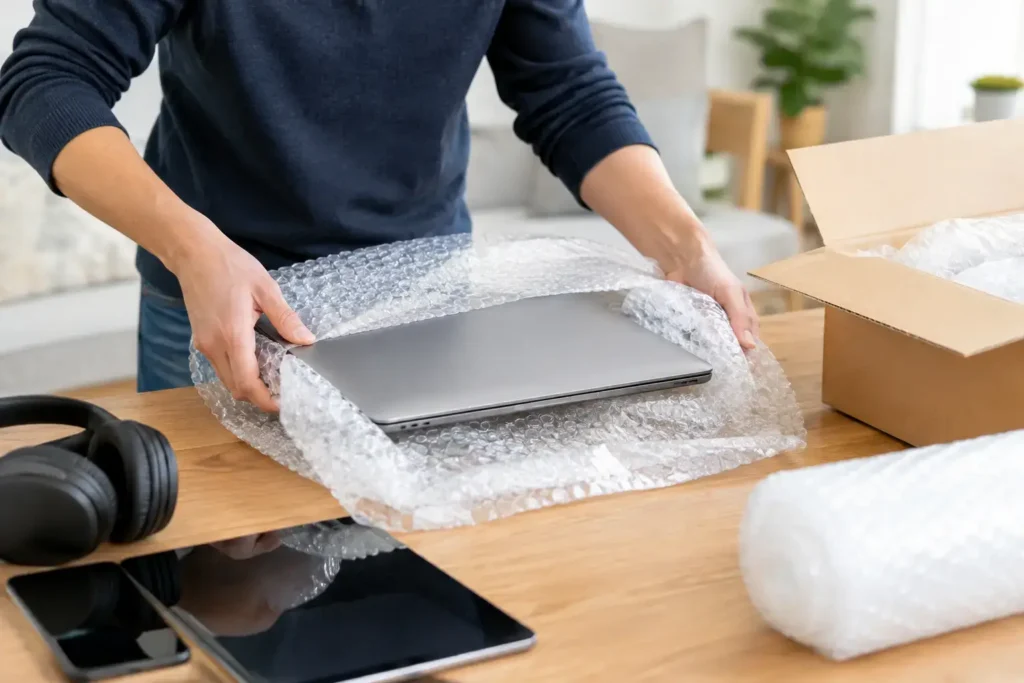
Wrap the tower with anti-static material if available, then add cushioning around it. Pack it upright and fill all empty space so it cannot shift. Laptops should be powered down, placed in a padded sleeve or wrapped in bubble wrap, and packed in a snug box. Many people prefer to transport laptops, tablets, and external hard drives themselves because they contain personal information and are easy to carry safely.
Printers, Cameras, and Audio Equipment
Printers need special attention because leftover ink or toner can leak. Remove paper trays, secure movable parts, and follow the manufacturer’s guidance for ink cartridges. Keep cameras in padded cases when possible, with lenses covered and separate accessories organized in labeled pouches.
For speakers, receivers, turntables, and other audio equipment, protect knobs, ports, and control panels with foam or bubble wrap. Turntables may need their platters, tonearms, and dust covers secured or packed separately. If the item is valuable or unusually delicate, professional packing provides added peace of mind.
Prevent Movement Inside Every Box
The most common packing mistake is using plenty of wrap around an item but leaving empty space in the box. A well-wrapped device can still break if it slides from side to side during loading or travel.
Line the bottom of the box with crumpled packing paper or foam. Place the wrapped electronic item in the center, then fill the sides and top firmly with more cushioning. The goal is not to crush the item. The goal is to stop all movement. Before sealing the box, gently test it. If you can feel anything shift, add more padding.
Keep weight in mind. Do not pack a large receiver, desktop computer, or heavy speaker in an oversized box that one person cannot lift safely. A smaller, reinforced box is easier to control and less likely to fail at the bottom. For especially heavy equipment, use a box rated for the weight or ask professional movers about appropriate crating or specialty handling.
Label for Careful Handling and Easier Setup
Clear labels help protect electronics throughout the move. Write the room name, a brief description of the contents, and handling instructions on multiple sides of the box. Labels such as “Fragile,” “This Side Up,” and “Do Not Stack” are useful, but they work best when paired with proper packing rather than used as a substitute for it.
Consider numbering boxes and keeping a simple inventory on your phone or on paper. For a home office, label each box by workstation or employee. For example, “Office – Desk 1 – Monitor and Cables” is far more useful than simply writing “electronics.” This saves time, prevents misplaced accessories, and makes unpacking less stressful.
Load Electronics Last and Unload Them First
Even the best-packed electronics can be damaged by poor placement in the moving truck. Electronics should ride on a flat, stable surface and should not be placed beneath furniture, appliances, or heavy cartons. Keep televisions and monitors upright, secure them against a padded wall of the truck, and prevent other items from leaning against them.
Small, high-value devices are often best transported in your personal vehicle if conditions allow. Keep them out of direct sunlight, away from extreme temperatures, and secured so they will not slide during stops or turns. Never leave electronics in a vehicle overnight during very hot or cold weather.
When you arrive, let devices adjust to room temperature before turning them on, especially after travel in cold conditions. Condensation can form inside electronics when they move quickly from cold air to a warm room. Waiting several hours can prevent moisture-related problems.
For customers who would rather not manage specialty materials, lifting, and careful truck placement alone, Absolute Moving & Storage can provide professional packing and handling designed to protect delicate belongings from start to finish.
A careful packing plan gives your electronics the protection they need and gives you one less thing to worry about on moving day. Keep the boxes organized, keep fragile items stable, and give screens and sensitive equipment the space and cushioning they deserve.